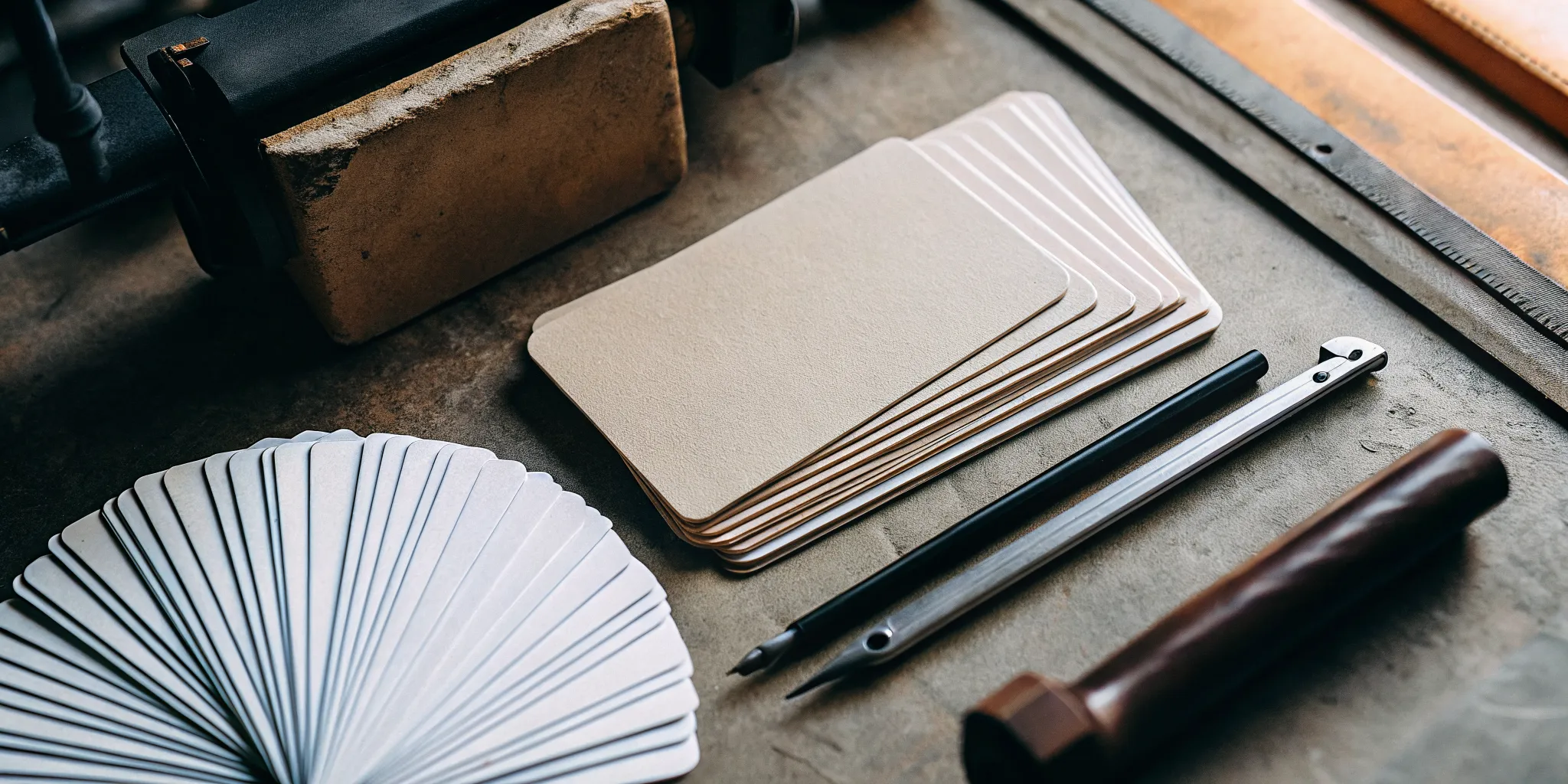
A postcard is more than just mail; it’s a physical connection with your customer. The satisfying weight of the cardstock and the vibrancy of the colors send a powerful message about your brand’s quality. That’s why choosing the right partner is so important. A great print job makes your message feel significant, while a poor one can make it feel disposable. This guide breaks down everything that goes into creating a standout postcard, from paper types to special finishes. We’ll also evaluate the leading postcard printing services to help you find a provider who can bring your vision to life.
Key Takeaways
- Prioritize the Physical Feel: The weight of the paper and the type of finish you choose are powerful tools. These tactile details directly influence how customers perceive your brand’s quality and can make your postcard stand out long before the message is even read.
- Match the Printer to the Project: The best printing service depends entirely on your specific needs. Define your main goal—whether it’s hitting a tight deadline, staying on a strict budget, or creating a premium piece—and then choose a company that specializes in delivering that result.
- Master the Technical Details Before Ordering: A great design can be undermined by poor file preparation. To guarantee a professional outcome, set your files to 300 DPI resolution, use the CMYK color mode, and include a proper bleed to prevent common printing mistakes.
What is Custom Postcard Printing?
At its core, custom postcard printing is the process of creating personalized postcards that reflect your brand’s unique identity. Instead of picking a generic design off a shelf, you get to call the shots on everything from the graphics and text to the layout and paper quality. This allows you to craft a message that speaks directly to your audience, whether you’re announcing a sale, sending a thank-you note, or launching a direct mail marketing campaign. It’s about moving beyond one-size-fits-all communication and creating something that feels intentional and tailored.
Think of it as a small but mighty canvas for your business. You can upload your own design or use a template to get started, but the end result is a piece of marketing material that is completely yours. This level of personalization is key to making a real connection. A custom postcard can tell a story, showcase a new product with vibrant imagery, or simply share a special offer in a way that feels personal and direct. It’s an effective and affordable way to put a tangible piece of your brand right into your customers’ hands, making your message more memorable than a fleeting digital ad. For businesses, this means having a powerful tool to build brand awareness and drive engagement in a way that cuts through digital noise.
A Quick Guide to Postcard Types
Once you decide to create a custom postcard, you’ll find you have several options to make it stand out. The choices you make here will influence the final look and feel of your postcard, so it’s helpful to know what’s available. Most printing services offer a variety of paper types and finishes. You might see options for different cardstock weights—a thicker, heavier cardstock often feels more premium and durable in the mail. You can also choose from different finishes, like a glossy coating that makes colors pop or a smooth matte finish for a more modern, understated look. Some printers even offer specialty papers with unique textures or recycled content.
Why Professional Printing Matters
While you could technically print postcards at home, using a professional printing service makes a significant difference in quality and impact. Professional printers use commercial-grade equipment that ensures your colors are vibrant and accurate, your images are sharp, and every cut is precise. This level of quality control helps your business look polished and credible. A professionally printed postcard feels substantial and well-made, which sends a subtle but powerful message to your customers that you care about the details. By avoiding common design mistakes and investing in high-quality materials, you ensure your marketing efforts are as effective as possible.
The Best Postcard Printing Services, Compared
Choosing the right printing partner for your postcards can feel like a big decision, and it is! The quality of your print materials directly reflects on your brand. With so many online options available, it’s easy to get lost in a sea of paper stocks, finishes, and turnaround times. To make it easier, I’ve looked at five of the top custom postcard printing services to see what they do best. Each one brings something different to the table, whether it’s lightning-fast delivery, unique customization features, or unbeatable value.
Your ideal printing service really depends on your specific goals. Are you a small business sending out your first direct mail campaign on a tight budget? Or are you an established brand looking to create a high-end, memorable piece that stands out? Maybe you’re on a tight deadline for a trade show and need your postcards delivered yesterday. We’ll cover options that cater to all of these needs. Think of this as your guide to finding the perfect match for your project, helping you get beautiful, effective postcards into the hands of your customers without the headache.
Vistaprint: Pros and Cons
If you’re looking for a reliable partner that balances quality, speed, and affordability, Print It is a fantastic choice. They offer a great selection of custom postcard sizes and finishes, giving you the flexibility to create something that perfectly fits your campaign without breaking the bank. What really stands out is their commitment to a fast turnaround, which is a lifesaver when you’re working against a deadline. They also offer mailing services, so you can manage your entire print-and-send process in one place. This is a huge plus for businesses that want an efficient, streamlined solution for getting their message out quickly and effectively. For businesses that need a dependable, cost-effective printing solution, Print It consistently delivers.
MOO: Pros and Cons
Vistaprint has built a reputation for being both affordable and incredibly versatile, making it a go-to for many small businesses. Their strength lies in the sheer volume of options they provide. You can find a postcard for just about any marketing need, from announcing a grand opening to promoting a seasonal sale. They let you choose from multiple shapes, sizes, and paper stocks, so you can get the exact look you’re going for. Plus, with finishes like high-gloss or a sophisticated soft-touch, you can easily create a postcard that feels true to your brand’s identity. If you value having a wide array of choices to customize your project, Vistaprint’s platform is definitely worth exploring.
FedEx Office: Pros and Cons
For those who want to make a truly unique and memorable impression, MOO is the name to know. Their standout feature is “Printfinity,” which lets you print a different design on every single postcard in your order at no extra cost. This is an amazing tool for creatives, photographers, or any business that wants to showcase a portfolio of work or a variety of products in a single batch. While they offer a more curated selection of paper types and sizes, the focus is on premium quality and unmatched customization. MOO is perfect for businesses that aren’t just sending a message, but creating a tangible experience for their audience. Their custom postcards are designed to be kept, not tossed.
48HourPrint: Pros and Cons
FedEx Office is a reliable and accessible option, especially for those who value convenience and ease of use. Their online platform is incredibly user-friendly, making the design and ordering process straightforward. You can either upload your own completed design or browse their library of professional templates to get started quickly. This is a great feature for businesses that may not have a dedicated designer on staff. FedEx Office is geared toward helping you build brand awareness and connect with customers through polished, professional materials. As a trusted name in business services, they provide a dependable choice for getting your custom postcards designed, printed, and ready to go without any fuss.
Print It: Pros and Cons
When speed is your top priority, 48HourPrint lives up to its name. This service specializes in incredibly fast turnaround times, making it an excellent choice for businesses facing tight deadlines. But they don’t sacrifice options for speed. You’ll still find a wide range of sizes, cardstocks, and special finishes to make your postcard stand out. One of their biggest advantages is their comprehensive mailing services, which include Every Door Direct Mail (EDDM®). This service allows you to target specific mail routes and neighborhoods, making it a powerful tool for local businesses looking to reach a broad audience efficiently. For time-sensitive projects or large-scale mailings, 48HourPrint is a strong contender.
Staples: Pros and Cons
Staples is a powerhouse when it comes to convenience and speed. If you find yourself in a pinch and need postcards printed immediately, their same-day service is a lifesaver. Their online design tools are straightforward and easy to use, making it simple to create a basic design and place an order quickly. For businesses that need a fast, no-frills solution, Staples offers good print quality at a budget-friendly price point. However, this focus on speed and accessibility means they may not be the ideal choice for a more strategic marketing campaign. Businesses looking for premium paper stocks, unique finishes, or a wider range of customization options to truly represent their brand might find the selection a bit limited compared to a dedicated online printing company.
What Can You Customize on Your Postcards?
When you hear “custom postcard,” you might just think of adding your logo and a photo. But true customization goes much deeper, giving you control over every detail that shapes how your customers perceive your brand. The right combination of features can make your postcard feel substantial and important, ensuring it stands out in a mailbox full of flimsy flyers. From the moment someone touches it, the weight of the paper and the texture of the finish send a message about your company’s quality and attention to detail.
Think of it like building a key piece of your marketing toolkit. You get to choose the exact dimensions, the thickness and feel of the paper, and the finish that makes your colors pop or gives your design an elegant, modern look. These choices aren’t just cosmetic; they directly influence the effectiveness of your campaign. A thick, glossy postcard for a grand opening feels exciting and premium, while a simple, matte cardstock might be perfect for a heartfelt thank you note to loyal customers. Exploring all the available marketing materials can help you see how different combinations work for different goals. The best part is that you have the power to create something that perfectly reflects your brand’s identity and message.
Choosing Your Postcard’s Size and Shape
The size of your postcard is one of the first decisions you’ll make, and it has a bigger impact than you might think. Standard sizes like 4″ x 6″ are classic, cost-effective, and great for quick announcements or reminders. Larger formats, such as 5″ x 7″ or 6″ x 9″, provide more room for compelling visuals and detailed information, making them ideal for showcasing products or outlining a special offer.
Beyond just grabbing attention, the size you choose can also affect postage costs, so it’s always a good idea to check the latest postal regulations. While most printers stick to rectangular shapes, some offer custom die-cutting for unique shapes that can make your mailer truly unforgettable. Consider how your postcard will look in a stack of mail—a slightly larger or uniquely shaped card can make all the difference.
Standard vs. Unique Dimensions
Deciding on the size of your postcard is a foundational step, and it influences more than just the look. Your choice here balances budget, message complexity, and impact. The classic 4″ x 6″ postcard is a workhorse for a reason—it’s affordable to print and mail, making it perfect for simple thank you notes or event reminders. But if you have more to say or show, upgrading to a 5″ x 7″ or 6″ x 9″ format gives your design room to breathe. This extra space is perfect for featuring high-quality product photos or laying out the details of a special promotion. A larger card also has a more premium feel and stands out more prominently in a mailbox, ensuring your message gets the attention it deserves among other marketing materials.
Exploring Custom Shapes
While rectangles are the standard, thinking outside the box—literally—can make your postcard unforgettable. This is where die-cutting comes in. This process allows you to create postcards in custom shapes that align with your brand or campaign. Imagine a coffee shop sending a postcard shaped like a coffee cup, or a real estate agent mailing one shaped like a house. These unique forms are immediately engaging and create a memorable experience for the recipient before they even read a single word. A custom shape is a powerful way to communicate your brand’s personality and creativity, ensuring your mailer doesn’t just get noticed, but gets talked about. It’s one of the most effective custom print solutions for making a lasting impression.
Picking the Perfect Paper and Cardstock
The paper you choose determines the weight, texture, and durability of your postcard. This tactile experience is your first chance to make a good impression. Cardstock is measured in points (pt), where a higher number means a thicker, more rigid card. A standard, sturdy option is usually around 14 pt. or 16 pt. cardstock, which holds up well in the mail and has a professional feel.
You’ll also have a choice of paper types. A gloss cardstock has a shiny surface that makes images and colors appear vibrant and rich. A matte cardstock, on the other hand, has a smooth, non-reflective surface that creates a more modern, understated, and elegant look. For a truly premium feel, some printers offer even thicker stocks, like 32 pt., which gives your postcard a memorable, high-end quality.
Understanding Paper Weight and Thickness
Let’s talk about the feel of your postcard. Paper weight is measured in points (pt), and it’s a simple concept: the higher the number, the thicker and more rigid the card. For a postcard that needs to survive the mail and still look sharp, a 14 pt. or 16 pt. cardstock is a fantastic choice. It feels substantial in your hand and immediately communicates a sense of quality. This isn’t just a flimsy piece of paper; it’s a professional message from your brand. For those times you want to make an even bigger statement, some printers offer ultra-thick options like 32 pt. stock, which gives your postcard a truly premium, high-end quality that won’t be forgotten.
Eco-Friendly and Sustainable Paper Options
Making sustainable choices is becoming more important for businesses, and your print materials are a great place to start. Many printing services now offer eco-friendly paper options, so you don’t have to compromise your values for quality. These often include papers made with recycled content or materials sourced from responsibly managed forests. Look for certifications like the Forest Stewardship Council (FSC), which ensures the paper comes from sources that protect forest ecosystems. Choosing a sustainable option sends a positive message about your brand and can resonate deeply with customers who share those same values. It’s a small detail that can make a big difference.
Adding a Professional Touch with Finishes
A finish is a clear coating applied to your postcard after printing that adds durability and enhances your design. A high-gloss UV coating, for example, provides a brilliant, reflective sheen that protects against scuffs and makes colors incredibly vibrant. This is a fantastic choice for photo-heavy designs or bold, colorful promotions.
For a more subtle effect, a matte or satin finish offers a smooth, non-glare surface that’s soft to the touch and gives your postcard a sophisticated feel. Some services even offer special finishes like spot UV, where a glossy coating is applied to specific areas of your design—like your logo or a headline—to create a striking contrast with a matte background. These final touches on your custom postcards can elevate a simple design into something truly special.
Specialty Finishes: Foil and Raised Print
If you really want to create a postcard that feels special, look beyond standard coatings and explore specialty finishes. Options like foil stamping can add a touch of elegance and immediately catch the eye. Imagine your logo or a key headline shimmering in gold, silver, or even rose gold foil—it’s a simple way to make your design look high-end and intentional. Another great option is raised print, often called raised UV. This technique adds a clear, glossy, three-dimensional layer to specific parts of your design. When a customer runs their thumb over it, they can feel the texture, creating a memorable tactile experience that a standard postcard just can’t replicate. These premium touches, often seen on luxury business cards, transform your postcard from a simple mailer into something worth holding onto.
Unique Features like Layered Cards
Sometimes, the most impactful feature is the postcard itself. For a truly premium feel, some printers offer layered or multi-ply cards. These postcards are made by fusing multiple layers of paper together, resulting in an extra-thick and rigid card that feels incredibly substantial. This construction not only gives the postcard a satisfying weight but can also feature a colored seam along the edge for a subtle, eye-catching pop of branding. Beyond the physical card, another valuable feature to look for is integrated mailing services. A printer that can handle everything from printing to addressing and mailing your campaign saves you time and streamlines the entire process. When you’re exploring your options, think about the full scope of your project and look for a partner who offers a complete range of products and services to bring it to life.
Template vs. Custom Design: Which is for You?
Once you’ve decided on the physical specs, it’s time to think about the design. Most printing services give you two main options: using a pre-made template or uploading your own file. Templates are a great starting point if you need inspiration or are working on a tight deadline. They provide a professional layout where you can simply drop in your own text, logo, and images. This is a straightforward way to get a polished result without needing graphic design skills.
However, if you have a specific vision or want to ensure perfect brand consistency, uploading your own design is the way to go. This gives you complete creative control over every element, from font choices to image placement. Most printers accept common file types like PDF, AI, or PSD, allowing you or your designer to create a completely unique postcard that perfectly captures your message.
Using Integrated Design Tools
Many online printers now offer integrated design tools that give you more creative freedom than a standard template. Think of them as user-friendly design studios right on the printer’s website. You can often start with a basic layout and then customize it by dragging and dropping your own images, tweaking colors, and experimenting with different fonts. Some services even partner with platforms like Canva, allowing you to use familiar tools to create your design and send it directly to print. This approach is perfect if you want a custom look without the complexity of professional design software. It gives you the power to create polished marketing materials that look exactly how you envisioned them.
How Much Does Postcard Printing Cost?
Figuring out the cost of your postcard project isn’t always as simple as looking at a single price tag. The final cost depends on a few key factors: how many you need, the paper you choose, and any special finishes you add. A small batch of 50 ultra-thick, glossy postcards for a VIP event will have a very different price per piece than a run of 5,000 standard postcards for a direct mail campaign.
When you’re comparing services, it’s helpful to think about the total value, not just the initial quote. Some printers might have a lower base price but charge more for thicker paper or faster shipping. Others might bundle features together, which can be a great deal if you need those specific options. The best approach is to get a clear idea of your project needs first. What’s the goal of this postcard? Who is it for? Answering these questions will help you decide if a basic, budget-friendly card will do the trick or if investing in premium features is the right move. Once you have your specs, you can get quotes that accurately reflect what you’re looking for. This way, you’re comparing apples to apples and can find a printing partner that truly fits your budget and quality standards for all your marketing materials.
Understanding the Cost Per Card
The most straightforward way to compare prices is by looking at the cost per card. This number tells you exactly what you’re paying for each individual piece you send out. You’ll notice that this price almost always goes down as your order quantity goes up. For example, a small order of 25 or 50 postcards might cost close to a dollar per card, while a larger order of 1,000 could drop the price to just pennies apiece. Calculating the cost per card helps you understand the value you’re getting at different quantities and makes it easier to see how a bulk order can stretch your marketing budget further. It’s a simple but powerful metric for making smart purchasing decisions.
Pricing Examples for Standard Sizes
To give you a real-world idea of what to expect, let’s look at some typical costs. For a small batch of 50 standard 4″ x 6″ postcards, you can often find prices starting around $20. This price point usually gets you double-sided color printing on a quality 100 lb. cardstock with either a gloss or matte finish—a solid choice for most marketing campaigns. Of course, this is just a ballpark figure, as prices will vary between printers and as you increase your order quantity. But it shows that getting professionally printed, custom cards is an accessible marketing tool for businesses of all sizes, whether you’re sending a simple announcement or a promotional offer.
The Cost of Premium Features
If you want your postcard to have a more luxurious feel, premium features are where you can make a real impact, though they do come at a higher price. Opting for an ultra-thick cardstock, like a 32 pt. paper, can immediately make your mailer feel more substantial and important. This upgrade can bring the price for a small batch of just 25 cards to over $50. Other special touches, like raised print or foil accents, also add to the cost but create a unique tactile experience. While these options are more of an investment, they transform your postcard from a simple mailer into a piece of high-quality marketing material that demands attention, making them perfect for targeting high-value clients or announcing a special event.
How Bulk Orders Can Save You Money
Nearly every printing service offers discounts for bulk orders. This isn’t usually a special coupon you have to find; the savings are automatically calculated as you increase the quantity in your cart. Planning your printing needs in advance can lead to significant savings. If you know you’ll need postcards for a holiday promotion, a trade show, and a local event throughout the year, ordering them all at once could be much more cost-effective than placing three separate small orders. Some companies also have loyalty programs that reward you with points or credits on your purchases, giving you another way to save on future trade show materials and other large-scale print jobs.
Watch Out for Hidden Add-On Costs
The features you choose will also influence your final price. Standard cardstock is the most budget-friendly option, but upgrading can make a huge difference in how your postcard is received. Premium options like thicker paper, textured finishes like linen, or special coatings can add to the cost. For instance, a high-gloss UV coating makes colors pop, while a matte or soft-touch finish gives your postcard a modern, sophisticated feel. While these add-ons increase the per-card price, they also make your mailer more memorable. Think of it as an investment in making a stronger first impression, similar to choosing high-quality business cards.
How Fast Can You Get Your Postcards?
Getting your postcards printed is one thing, but getting them in your hands when you need them is another. The total time it takes from clicking “order” to having a stack of beautiful postcards ready for mailing depends on a few key factors. You’ll need to consider the printer’s standard production speed, whether you need to pay for a rush job, and how long shipping will take. Understanding how these pieces fit together will help you plan your project timeline perfectly and avoid any last-minute stress. Let’s break down what you can expect.
What’s the Standard Turnaround Time?
“Production time” is simply how long the company needs to print, cut, and finish your postcards before they’re ready to ship. This doesn’t include the time they spend in transit. For many online printers, the standard turnaround is surprisingly fast. Some services offer next-day printing for certain postcard orders if you submit your design before a specific cutoff time, usually early afternoon. Others, especially those with physical locations, might even have your order ready for pickup on the same day. Always check the production time listed on the product page, as it can change based on the complexity of your order—special finishes and unique paper types often add a day or two.
Need Them Fast? All About Rush Orders
If you’re in a time crunch for a last-minute event or a time-sensitive promotion, most printing services offer rush order options. This is a fantastic feature that lets you pay an extra fee to have your job moved to the front of the production line. It’s a lifesaver when you need high-quality marketing materials and can’t afford to wait. This flexibility allows your business to be agile and respond to sudden opportunities without missing a beat. Just be prepared for the additional cost, which will vary depending on how quickly you need the job completed. It’s a simple trade-off between speed and budget.
Same-Day and Next-Day Printing Options
When you’re really in a pinch, it’s good to know that several printing services offer impressive same-day and next-day options. For instance, FedEx Office can have most postcard orders ready for pickup on the same day or within 24 hours, as long as you place your order before noon CST. This is a lifesaver for last-minute events. Similarly, MOO offers next-day printing on their Original Postcards if you order before 2 PM EST on a weekday. And for companies that build their entire brand around speed, 48HourPrint specializes in rapid turnarounds, making them a solid choice when you’re facing a tight deadline. These options give you the flexibility to act on sudden opportunities without sacrificing quality.
Factoring in Shipping and Delivery Times
Once your postcards are printed and boxed up, the final step is getting them to your doorstep. It’s crucial to add shipping time on top of production time to calculate your actual delivery date. Standard ground shipping can take anywhere from one to five business days, depending on the carrier and how far you are from the printer. If you paid for rush production, it usually makes sense to select an expedited shipping method to match. Many companies also offer in-store pickup, which is a great way to get your print products immediately after they’re ready, helping you avoid shipping costs and potential delays.
In-Store Pickup vs. Shipping
When it comes to getting your finished postcards, you generally have two choices. In-store pickup is your best bet if you’re on a tight deadline. Many printers with physical storefronts can have your order ready the same day or within 24 hours, which is perfect for last-minute needs. This option also lets you skip shipping fees and inspect the quality of your order right away. On the other hand, shipping offers pure convenience. Having your postcards delivered directly to your office or home saves you a trip and is a great solution if you don’t have a local printer nearby. Just remember to account for transit time, which is typically one to three business days after your order of custom print products is complete. The right choice really comes down to whether speed or convenience is your top priority.
How to Save on Your Postcard Order
Getting professional, high-quality postcards doesn’t have to drain your marketing budget. With a little planning, you can find several ways to cut costs without compromising on the final product. Many printing companies offer built-in savings opportunities designed to reward both new and returning customers. By understanding how these offers work, you can make smarter purchasing decisions that benefit your bottom line. Think of it as strategic shopping for your business. Whether you’re placing your first order or your fiftieth, there are always ways to get more value. Let’s walk through some of the most common and effective methods for saving money on your next postcard print run.
Look for First-Time Customer Deals
If you’re trying a new printing service, always check for a first-time customer discount. It’s a common practice for companies to offer a special promotion, like a percentage off your first order, to welcome you and let you experience their quality firsthand. You might find these deals advertised on their homepage or offered when you sign up for their email newsletter. This is an excellent, low-risk way to test out a new printer for a smaller project before committing to a larger, more expensive order. It gives you a chance to see the print quality, feel the paper stock, and assess the customer service without a major investment.
Newsletter Sign-Ups and Promo Codes
One of the easiest ways to save is by signing up for a company’s email newsletter. Many services will send you an immediate discount code for your first purchase just for joining their list. For example, MOO offers new customers a percentage off their first order when they sign up. This is more than just a one-time perk; being on the list ensures you’re the first to hear about future sales and special promotions. Some companies also have loyalty programs, like the ‘Print Preferred Program’ at FedEx Office, which offer ongoing savings for repeat business. It’s always a good idea to check a printer’s website for these offers before you place an order, as it’s a simple way to make your budget for marketing materials go further.
Save More by Ordering in Bulk
One of the most straightforward ways to save on printing is to order in bulk. The price per postcard almost always decreases as your order quantity increases. This is because the initial setup costs for the printing press are the same whether you print 100 or 1,000 cards. Planning your marketing campaigns ahead of time allows you to place one large order instead of several small ones, which can lead to significant savings. Before you place an order, check the pricing tiers to see where the cost breaks happen. You might find that ordering a slightly larger quantity is much more cost-effective in the long run.
Do They Have a Loyalty Program?
If you’ve found a printing partner you love, see if they have a loyalty program. These programs are designed to reward repeat customers for their business. Typically, you earn points for every dollar you spend, which can then be redeemed for discounts on future orders. Some programs also offer exclusive perks like early access to sales or free shipping. Building a relationship with a single, reliable printer not only ensures consistent quality but can also become a source of long-term savings. These loyalty programs are a great way for printers to show appreciation for your continued business and keep you coming back.
Bundling Products for Extra Savings
Beyond just ordering a larger quantity of a single item, you can often find savings by bundling different products together in one order. Think about the entire scope of your upcoming campaign or event. If you’re preparing for a trade show, you’ll likely need more than just postcards. You might also need new business cards, some flyers, and maybe even a banner. Placing a single order for all these items not only saves you the headache of managing multiple suppliers but can also significantly cut down on shipping costs. This strategy requires a bit of forward-thinking, so take a moment to review your marketing calendar. By planning ahead and grouping your print needs for the next quarter, you can make your budget go further while ensuring all your materials have a consistent, professional look.
How to Choose the Right Postcard Printing Service
Picking a printing service is about more than just finding the lowest price. It’s about finding a partner who can consistently bring your brand’s vision to life on paper. Your printed materials—from the business cards you hand out to the banners you display at events—are a direct reflection of your business. The right printer delivers quality you can count on, meets your deadlines, and makes the entire process feel straightforward. Let’s walk through the key factors to consider so you can choose a service that’s the perfect fit for your needs.
How to Balance Quality and Budget
Finding the sweet spot between quality and cost is the first step. It’s easy to assume that a lower price means a lower-quality product, but it’s really about finding the best value for your specific project. If you’re creating a high-end marketing piece, investing in premium paper and special finishes can make a huge impact and justify a higher price point. On the other hand, for a large-scale promotional mailing, a more budget-conscious option might be the smarter choice.
The goal is to find a service that offers professional, high-quality printing without forcing you to compromise your standards or your budget. Look for clear pricing, a good selection of paper stocks, and crisp, vibrant print examples. This ensures your final product looks polished and professional, no matter the price tag.
Does Their Timeline Match Yours?
We’ve all been there: you need marketing materials for an event that’s just around the corner. When time is tight, your printer’s turnaround speed is everything. Some services, like FedEx Office, offer same-day options for urgent needs, which can be a lifesaver in a pinch. Others, like 48HourPrint, build their entire model around fast production.
Before placing an order, always check the company’s standard production times and see if they offer rush services. A reliable printer will be transparent about how long it takes to print and ship your order, so you’re not left wondering if your trade show materials will arrive on time. Planning ahead is always your best bet, but knowing you have a partner who can deliver quickly gives you valuable flexibility.
Why Good Customer Support is a Must
Great customer support can make all the difference, especially if you’re new to ordering print or have a complex project. When you have a question about file setup or need advice on choosing the right paper, you want to be able to reach a real person who can help. Look for companies that offer multiple ways to get in touch, whether it’s through phone, email, or live chat.
A supportive printing partner acts as an extension of your team. They should be able to answer your questions clearly and guide you toward the best possible result. This level of service is invaluable because it helps prevent costly mistakes and ensures you feel confident in your order from start to finish.
Check for Guarantees and Sample Kits
A printing company’s confidence in its own work is often reflected in its policies. Look for a satisfaction guarantee, which acts as a safety net for your investment. This assurance means the company stands behind its quality and is committed to delivering a product that meets your expectations. Another great sign of a trustworthy printer is the option to order a sample pack. This lets you physically feel the different paper weights and see the finishes in person before you commit to a full order. It takes the guesswork out of the process, ensuring the final product matches your vision and helps you make a confident choice.
Common Mistakes to Avoid When Choosing a Printer
A great printing service can’t fix a flawed design. To get the most out of your investment, steer clear of a few common pitfalls. First, avoid overcrowding your design. A postcard packed with too much text and too many images can feel overwhelming and cause your main message to get lost. A clean, focused layout is always more effective.
Second, proofread everything—then have someone else proofread it, too. Simple spelling or typographical errors can make your business look unprofessional and undermine your credibility. Finally, pay close attention to the printer’s file specifications. Submitting a file with the wrong resolution or without proper bleed can lead to blurry images and awkward white borders. Taking a few extra minutes to prepare your file correctly is one of the easiest ways to ensure a beautiful final product.
Prepping Your Design File for Print
You’ve spent time creating a design you love, and now it’s time to bring it to life. Before you hit “upload,” taking a few minutes to prepare your files correctly is the single best thing you can do to ensure your final product looks as professional as you imagined. Think of it as the final quality check before sending your masterpiece to the presses. Getting these details right prevents common issues like blurry images, unexpected color shifts, or awkward white borders. Whether you’re ordering a fresh batch of business cards or a large-scale banner, these foundational steps are your ticket to a flawless print run.
The Best File Format and Resolution
Let’s start with the basics: your file itself. For printing, a high-quality PDF is almost always the best choice because it packages your fonts, images, and layout into one neat, reliable file. When it comes to image quality, the magic number to remember is 300 DPI (dots per inch). This is the industry standard for resolution. A design with a lower resolution might look fine on your screen, but it will likely appear pixelated or blurry when printed. Setting your design to 300 DPI from the very beginning ensures every line is crisp and every photo is sharp, giving you that high-end, professional finish.
Getting Your Colors Right (CMYK vs. RGB)
Have you ever printed something and noticed the colors looked a little… off? This is usually due to the color profile. Your computer screen creates color using light, in a model called RGB (Red, Green, Blue). Printers, however, use ink, which follows the CMYK color model (Cyan, Magenta, Yellow, Black). To get the most accurate color representation, you should always set up your design files in CMYK mode. This simple step ensures that the vibrant colors you chose on screen translate beautifully onto paper, preventing any disappointing surprises when you open the box.
Don’t Forget Bleed and Trim Lines
To get that perfect edge-to-edge print, you need to account for “bleed.” Bleed is a small extra margin of your design that extends beyond the final trim line. Because paper can shift slightly during the cutting process, this extra area ensures there are no unprinted white slivers along the edges of your final product. Most printers ask for a 1/8-inch bleed on all sides. You should also pay attention to the “safe area”—an inner margin where you should keep all your important text and logos to ensure they don’t get accidentally trimmed. Checking the specific guidelines for your chosen marketing materials is always a smart move.
Using Downloadable Design Templates
If the idea of starting a design from a blank screen feels a bit intimidating, you’re not alone. This is where downloadable design templates come in handy. Think of them as a professional framework for your ideas. They provide a polished layout, complete with well-placed text boxes and image holders, so all you have to do is add your own content. It’s an incredibly efficient way to create beautiful marketing materials, especially when you’re short on time or don’t have a graphic designer on your team. You still get to customize the final product with your logo, brand colors, and message, ensuring the postcard is completely yours. Using a template helps guarantee a professional result without the stress of starting from scratch.
Quick Tips for a Standout Postcard Design
A great postcard starts with a great design. Before you even think about printing, focusing on a few key design principles will ensure your message not only gets seen but also gets results. These simple tips will help you create a postcard that looks professional and captures attention for all the right reasons.
Keep Your Layout Clean and Simple
When it comes to postcard design, less is definitely more. One of the biggest mistakes you can make is overcrowding the space with too much text and too many images. Your goal is to grab attention in just a few seconds, so a clean, organized layout is your best friend. Think about what you want the reader to do and make that the focus. Use white space to your advantage to let your key message breathe and guide the reader’s eye. A simple structure works wonders: a bold headline, one high-quality image, a few lines of essential text, and a clear call to action. This approach ensures your marketing materials are effective, not overwhelming.
Pick Colors and Fonts That Pop
The right colors and fonts can make your postcard jump out of a stack of mail. Stick to your brand’s color palette to maintain consistency and build recognition. Choose fonts that are not only on-brand but also easy to read from a distance. A good rule of thumb is to use no more than two or three complementary fonts—one for the headline, one for the body text, and maybe an accent font. Don’t forget about the finish! A glossy coating can make your colors pop, while a matte or soft-touch finish adds a touch of sophistication. The right combination of colors, fonts, and finishes will make your custom postcards feel professional and memorable.
Double-Check Your File Before You Send
Before you send your design off to the printer, a final check is crucial to avoid any costly surprises. Make sure all your images are high-resolution (at least 300 DPI) to prevent them from looking blurry or pixelated when printed. It’s also important to account for the printer’s bleed area. This means extending your design slightly beyond the final trim line to ensure there are no unprinted white edges after cutting. Most printers will provide a template or guidelines. Finally, always ask for a digital proof to review before the full batch is printed. This gives you one last chance to catch any typos or alignment issues and ensure your design looks exactly as you envisioned.
Related Articles
- Business Cards
- Cards – Print It
- Easily Upload Designs for Your Cards
- Mini Posters – Print It
- Easily Upload Designs for Your Mini Posters
Frequently Asked Questions
What’s the most important factor when choosing a printing service? Honestly, the most important factor is your specific goal for the project. If you need postcards for a trade show next week, speed is your top priority. If you’re creating a high-end mailer for your best clients, premium paper and finish options are what matter most. Instead of looking for one “best” service, think about what you need this postcard to achieve and find a partner that excels in that specific area, whether it’s budget, quality, or turnaround time.
Why is the paper choice so important for a postcard? The feel of the postcard is your first opportunity to make an impression before a single word is read. A thin, flimsy card can feel disposable and might suggest a lack of attention to detail. A thicker, more substantial cardstock feels professional and important, making the recipient more likely to take your message seriously. It’s a subtle detail that communicates the quality of your brand.
What’s the biggest design mistake to avoid on a postcard? The most common mistake is trying to say too much. It’s tempting to fill every inch of space with information, but a cluttered design is overwhelming and often gets ignored. Your postcard has only a few seconds to grab someone’s attention. Focus on one strong headline, a compelling image, and a single, clear call to action. White space is your friend—it makes your key message stand out.
Why do my printed colors sometimes look different from what I see on my screen? This is a common issue that usually comes down to color modes. Your computer screen creates color with light (RGB), while printers use ink (CMYK). Because they are two different ways of producing color, the results can vary. To get the most accurate color possible, always set up your design file in CMYK mode from the very beginning. This ensures that what you see during the design process is a much closer match to the final printed product.
Is it always better to order more postcards to save money? While ordering in bulk definitely lowers your cost per card, it’s only a smart move if you’ll actually use them all. It’s better to order 500 postcards with a timely offer that you use effectively than to order 5,000 that end up sitting in a box because the promotion expired. Consider the shelf-life of your message before you commit to a large quantity just to get a lower price.