Your customers’ inboxes are overflowing and their social media feeds are packed. So, how do you cut through the noise? That’s where the power of something tangible comes in. A physical postcard lands directly in your customer’s hands, creating a personal touch that gets noticed. This guide is all about custom postcard printing and how you can use it to build meaningful connections. We’ll walk you through everything from designing an effective layout to choosing the right paper, helping you turn a simple card into a powerful marketing tool.
Key Takeaways
- Focus on one clear goal: Create a postcard that is easy to understand at a glance by using a simple layout, a single focused message, and a direct call to action that tells your audience exactly what to do.
- Select materials that feel professional: The paper and finish you choose communicate quality before a word is even read. Opt for a sturdy cardstock, like 16 pt or higher, and a finish that matches your brand to make a strong, positive impression.
- Get the technical details right: Avoid common printing mistakes by setting your design file to CMYK color mode for accurate colors and carefully reviewing your digital proof for any typos or errors. This final check is your best tool for guaranteeing a perfect print.
What Is Custom Postcard Printing?
At its core, custom postcard printing is the process of creating personalized postcards designed specifically for you or your business. Forget the generic, glossy cityscapes you find on a tourist rack. This is about taking full control of the design, message, and feel of your card to match your exact needs. Whether you’re a business owner looking to make a direct connection with customers or you want to send a truly unique wedding invitation, custom printing gives you the creative freedom to make something memorable. It’s a wonderfully versatile format that combines eye-catching visuals with concise text, making it perfect for a wide range of projects.
You get to choose everything from the size and paper thickness to the finish, ensuring the final product perfectly reflects your brand or personal style. This level of control means you can create something that feels premium and professional, or fun and informal, depending on your goal. By creating your own design, you can craft a message that speaks directly to your audience, making your postcard a powerful piece of communication that stands out from the digital noise. These are just one of many marketing materials you can tailor to fit your brand, helping you build a cohesive and recognizable identity across all your printed goods.
Why Custom Postcards Are a Smart Business Move
For businesses, custom postcards are a tangible and effective way to reach customers. Because they arrive in the mail ready to be read, they don’t need to be opened like a letter, which means your message gets seen almost instantly. This makes them ideal for direct mail campaigns, announcing a big sale, or sending out exclusive coupons to drive foot traffic.
You can use them to promote a grand opening, share news about an upcoming event, or even gather customer feedback with a simple survey. A well-designed postcard with a compelling headline and a striking image can capture attention and get your point across quickly. With so many ways to use them, postcards are a smart addition to any marketing strategy, allowing you to explore a full product list of options to find what works for you.
When to Send a Personal Postcard
Postcards aren’t just for business. They are also a fantastic way to add a personal touch to your important life events. Think about sending beautifully designed save-the-date cards for your wedding, fun invitations for a milestone birthday party, or even custom thank-you cards that feel more heartfelt than a quick text. In a world filled with emails and social media notifications, receiving a physical piece of mail can feel special.
A custom postcard shows you put thought and effort into your message. It becomes a small keepsake that your friends and family can hold onto, reminding them of a happy memory. It’s a simple, creative, and warm way to connect with the people who matter most to you.
Making It Yours: How to Customize Your Postcards
Creating a custom postcard goes way beyond just the image you put on the front. Think of it like putting together an outfit; every piece contributes to the final look. The size, the feel of the paper, and the finish all work together to make an impression before your recipient even reads a single word. These choices allow you to create a postcard that not only looks great but also feels right for your message and your brand. Making thoughtful decisions on these details ensures your postcard stands out from the rest of the mail and connects with your audience. Let’s walk through the key options you have for bringing your vision to life.
Pick the Perfect Postcard Size and Shape
The first decision you’ll make is about the physical dimensions of your postcard. While standard sizes like 4″ x 6″ and 5″ x 7″ are popular for a reason (they are cost-effective for mailing), don’t feel boxed in. You can customize postcards with many sizes, and choosing something a little different, like a larger format or a slim, panoramic shape, is an easy way to get noticed. Think about your design and your message. A bold, graphic announcement might look fantastic on a large 6″ x 9″ card, while a simple thank you note could feel more personal in a smaller size. Exploring different marketing materials can give you a great sense of the possibilities.
Exploring Unique Sizes and Formats
While standard postcard sizes are effective, thinking beyond the typical dimensions is a simple way to make your mailer stand out. You can customize postcards with many sizes, and choosing something a little different, like a larger format or a slim, panoramic shape, is an easy way to get noticed. A bigger card, like a 6″ x 11″, gives you more real estate for a powerful image and bold text, making it perfect for a grand opening announcement that can’t be missed. A uniquely shaped card, on the other hand, can reflect a creative or modern brand identity. The key is to match the size to your message and your audience. For more inspiration on how to get your layout just right, you can review a design guide to help with the technical setup.
Folded, Flat, and Magnet Card Options
Beyond size, you can also choose from different formats to suit your goal. The traditional flat postcard is classic and direct, but a folded postcard gives you double the space, turning your mailer into a mini-brochure. This is ideal when you have more to say, like sharing a detailed event schedule, a small menu, or a tear-off coupon. Then there are magnet cards, which offer incredible staying power. Instead of being glanced at and tossed, a magnet card can live on a client’s refrigerator for months, keeping your contact information front and center. No matter the format, a well-designed postcard with a compelling headline and a striking image can capture attention and get your point across quickly, making it one of the most versatile marketing tools available.
Find the Best Paper for Your Postcards
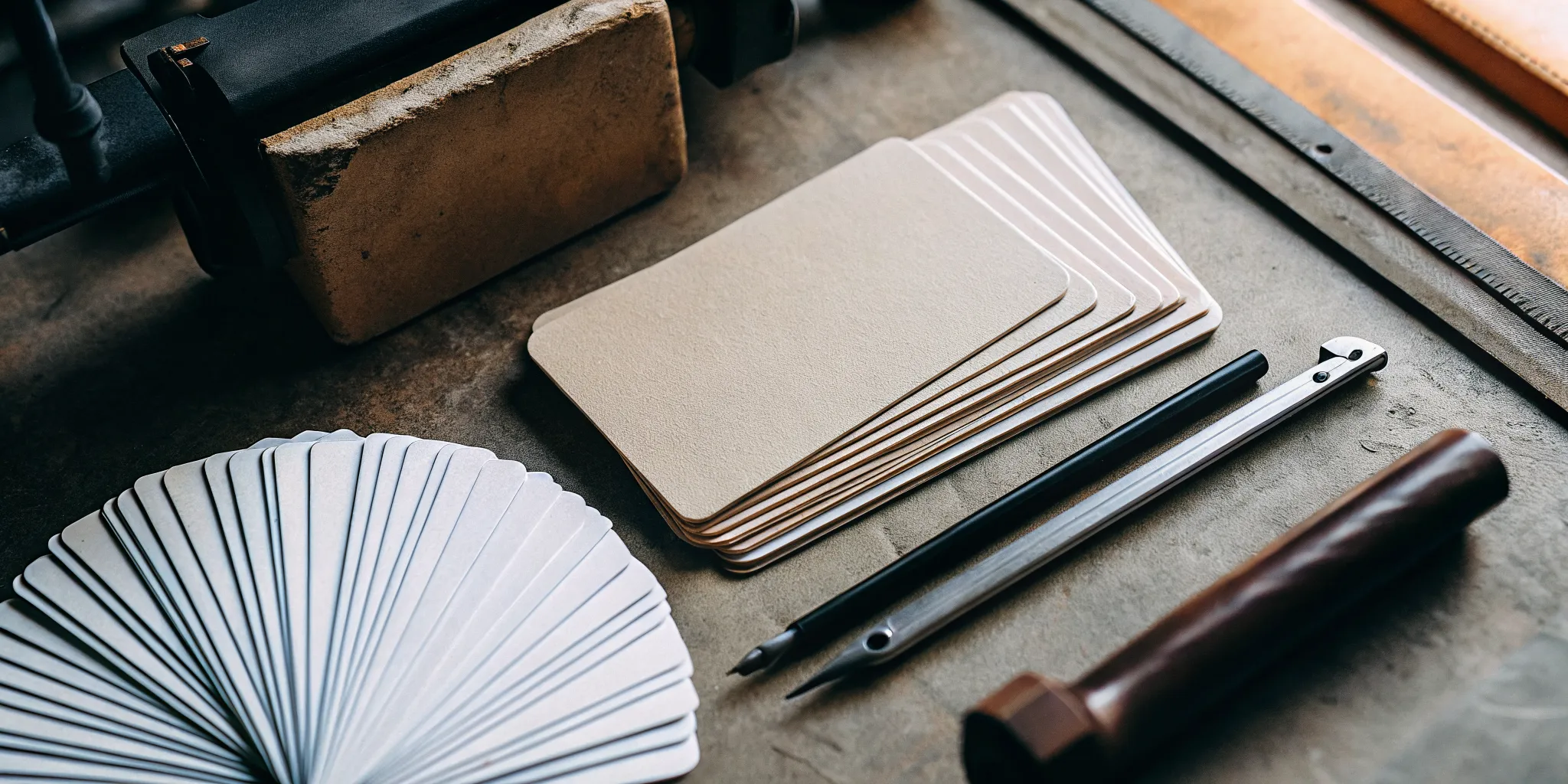
The weight and texture of your postcard communicate quality. When you’re looking at options, you’ll see paper thickness measured in points (pt). You can choose from various options such as 10 pt, 14 pt, 16 pt, and even 17 pt cardstock. A thinner 10 pt cardstock is more flexible, but for mailing, a sturdier paper is a much better choice. A thicker cardstock, like 16 pt, feels more substantial and professional in hand, and it holds up beautifully in the mail without an envelope. This durability ensures your message arrives looking crisp and clean. The right paper choice from a full product list can make your postcard feel less like an advertisement and more like a gift.
Understanding Paper Weight: Points (pt) vs. Pounds (lb)
When you start looking at paper, you’ll see two common measurements: points (pt) and pounds (lb). For postcards, the most important one is points, which measures the paper’s thickness. A higher point value means a thicker, more rigid card. Pounds, on the other hand, refer to the weight of 500 sheets of paper and are more commonly used for thinner paper like the kind you’d find in a book or for color copies. For a postcard that needs to survive the mail and make a great impression, thickness is key. A 16 pt cardstock feels substantial and professional, while a thinner 10 pt stock is more flexible and better suited for items that won’t be mailed on their own.
Choosing Premium and Sustainable Paper Stocks
The paper you choose is a direct reflection of your brand’s quality. To make a strong, positive impression, opt for a sturdy cardstock, like 16 pt or higher, and a finish that matches your brand. A premium paper stock not only feels better in your customer’s hand but also ensures your design looks vibrant and sharp. Beyond just thickness, consider the paper’s composition. Many businesses today are choosing sustainable options, like recycled paper stocks, to align their marketing efforts with their company values. This choice shows your customers that you care about quality and your environmental impact, adding another layer of depth to your brand story.
Exploring Different Product Tiers
Your paper selection allows you to tailor your postcard to fit any occasion or budget. This level of control means you can create something that feels premium and professional, or fun and informal, depending on your goal. For a high-end event invitation or a thank you card to a VIP client, you might invest in the thickest, most luxurious cardstock. For a large-scale promotional mailing, a durable and cost-effective 14 pt stock might be the perfect balance. This same principle applies across all our marketing materials, from business cards to brochures, giving you the flexibility to produce printed goods that perfectly match your project’s specific needs.
Gloss, Matte, or UV? Choosing Your Finish
The finish is the final touch that pulls your postcard’s look together. For a shiny, vibrant look that makes colors and photos pop, a gloss cover with a High Gloss UV coating is a fantastic choice. This finish is perfect for eye-catching promotional pieces, but keep in mind it’s not ideal for writing on. If you want a more understated and elegant feel, a matte finish is your go-to. It has a smooth, non-reflective surface that reduces glare and feels great to the touch. Alternatively, if you need a writable surface for personal notes or response cards, an uncoated or premium matte cover is an excellent choice. This natural finish is perfect for designs where you want the paper’s texture to be part of the experience.
Adding Special Finishes like Foil
If you want your postcard to feel truly special, consider adding a metallic foil finish. This technique adds a touch of luxury and immediately makes your design look more high-end. A flash of gold or silver foil can catch the light and draw the eye directly to the most important part of your card, whether it’s your company logo, a headline, or a special offer. These cards are typically printed on a quality cardstock to support the finish, creating a premium feel. Using a foil finish is an excellent way to make your postcard feel less like a piece of mail and more like a formal invitation, perfect for grand openings or exclusive events. It’s a detail that shows you’ve invested in quality for all your marketing materials.
Customizing with Rounded or Decorative Corners
While most postcards have traditional sharp corners, changing the shape of the corners is a simple way to add a unique flair to your design. Opting for rounded corners can soften the overall look, giving your postcard a more modern and friendly feel. It’s a subtle detail, but it can completely change the personality of your card. While rounded corners are a popular choice, some printers may offer more intricate or decorative edge trims for a truly custom look. It’s good to know that certain special options might work best with a premium cardstock to get the cleanest cut. This small adjustment is an easy way to make your promotional items stand out from the stack.
Your Postcard Design Toolkit
You don’t need to be a professional graphic designer to create a beautiful, effective postcard. Plenty of tools are available to help you get your ideas onto paper, whether you’re starting from scratch or just need a little inspiration. The key is choosing a platform that matches your skill level and design goals. From powerful professional software to simple drag-and-drop editors, you can find the right tool to build a postcard that looks polished and gets your message across. Let’s walk through some of the best options so you can feel confident getting started.
User-Friendly Postcard Design Platforms
If you have some design experience, professional software gives you the most control. Tools like Adobe InDesign are the industry standard for a reason; they offer powerful features for creating layouts with precise control over every element. For those who want a simpler, more guided experience, platforms like Canva are fantastic. They offer a user-friendly interface with drag-and-drop functionality and a huge library of design elements. Many of these platforms have free versions that are perfectly functional for creating a great-looking postcard, so you can experiment without a big commitment.
Using Canva Templates with Your Printer
Canva is a fantastic tool for designing your postcards, especially with its huge library of templates. It makes creating a professional-looking layout incredibly straightforward. You can easily customize any template to fit your brand’s aesthetic by adjusting the colors, fonts, and images to create a postcard that feels uniquely yours. The real key to success, however, lies in how you prepare that design for a professional printer. When you’re ready to export your file, make sure you select ‘PDF Print’ as the file type and choose the CMYK color profile. This simple step ensures the colors on your printed postcard will be accurate and vibrant, not dull or different from what you saw on screen. After a final proofread for typos, your design is ready to go. Following these guidelines will help you get the technical details right and ensure your final print is flawless.
Print-Ready Files: A Simple Checklist
Before you get too far into your design, it’s smart to think about the final print. Every printing service has specific file requirements to ensure your postcard looks exactly as you designed it. These are called file specs, and they include details like bleed (the area of the design that extends beyond the trim edge), resolution for image quality, and accepted file formats like PDF or JPG. Following these guidelines prevents issues like white borders or blurry images. We provide detailed instructions for our marketing materials to help you set up your files correctly from the start.
Start Designing Fast with Free Postcard Templates
If you’re short on time or need a creative starting point, templates are your best friend. Many design platforms and printing services offer free layout templates that take the guesswork out of the technical setup. These pre-made designs have the correct dimensions, bleed, and resolution already built in, so you can focus on the fun part: customizing the text, colors, and images. Using a template is a great way to ensure a professional result without having to build the entire layout from scratch. It’s an efficient way to get a high-quality design ready for printing.
How Do You Design an Effective Postcard?
A postcard that lands in a mailbox has just a few seconds to make an impression. To make sure yours stands out, you need more than a nice image. An effective postcard combines a smart layout, a clear message, and a compelling reason for your audience to act. It’s about designing with a purpose. When you get these three elements right, your postcard transforms from a simple piece of mail into a powerful tool for connection and marketing. Let’s walk through how to nail each part of your design so it gets the attention it deserves.
How to Create a Balanced Postcard Layout
Think of your postcard as a tiny billboard. You don’t want to cram it with so much information that people don’t know where to look first. A balanced layout guides the eye from the most important element, like your headline, to the supporting details and finally to your call to action. Use white space generously to give your design room to breathe and prevent it from feeling cluttered. To make things easier, you can start your design with a template. Many printing platforms offer templates that are already optimized for their equipment, which takes the guesswork out of file setup and ensures your layout looks great in print.
Tips for a Readable Postcard Design
Your message needs to be understood in a glance. The best way to do this is to focus on one simple idea for your audience. Don’t try to tell your entire company story. Instead, stick to a single announcement, offer, or event. Keep your sentences short and direct, ideally between five and ten words. Write as if you’re speaking to one person, using “you” to create a direct connection. Your font choice is also key. Pick a clean, legible font and make sure it’s large enough to be read easily without squinting. The goal is effortless communication.
Writing Copy That Gets a Response
A beautiful postcard with a vague message won’t accomplish much. Your copy needs to inspire action. This is where a strong call to action, or CTA, comes in. Your CTA tells the reader exactly what you want them to do next. It should be powerful and impossible to miss. Whether you want them to visit your website, scan a QR code, or bring the postcard to your store, make the instruction clear and the benefit obvious. For example, instead of “Check out our sale,” try “Scan here for 20% off your next order.” Effective marketing materials always give the audience a clear next step.
What Common Design Mistakes Should You Avoid?
You’ve spent time creating a beautiful postcard, and the last thing you want is a simple mistake to ruin the final product. Getting your design from screen to print perfectly just takes a little know-how. A few common slip-ups can cause unexpected results, but they’re all easy to avoid once you know what to look for. Before you send your file for printing, run through this quick checklist to make sure your colors are accurate, your text is readable, and you’ve left room for mailing. Let’s walk through the most common design pitfalls and how to sidestep them.
Color Check: Will It Print How You Expect?
Ever printed something that looked vibrant on your screen, only for it to come out dull? This often comes down to color mode. Screens use an RGB (Red, Green, Blue) model to display images with light, while professional printers use a CMYK (Cyan, Magenta, Yellow, Black) model with ink. To ensure the colors you chose are what appear on your final postcard, you must design in CMYK mode from the start. Most design programs have a simple setting for this. This small step ensures your brand colors stay consistent and your marketing materials look exactly as you intended.
Is Your Font Too Small to Read?
It’s tempting to squeeze a lot of information onto a postcard, but if your audience has to squint, your message is lost. While printing technology can handle tiny fonts, your text needs to be legible at a glance to be effective. Aim for clear, simple fonts with strong contrast against the background, like dark text on a light background. A great way to test this is to print a sample at home. If you struggle to read it, your customers will too. This principle of readability is just as important for business cards and other small-format prints.
Don’t Forget Space for the Address and Stamp
The back of your postcard is valuable space, but a portion of it is reserved for the post office. A common oversight is covering the entire back with graphics or text, leaving no room for the mailing address and postage. This can cause delivery problems or result in a postal sticker covering your design. To avoid this, leave a clear space on the right-hand side for the address and stamp. A good guideline is to keep a 2″ x 4″ area completely free of any important design elements. Using a template makes this foolproof, ensuring your postcard gets where it’s going without a hitch.
How Much Does Custom Postcard Printing Cost?
Figuring out the budget for your custom postcards can feel a bit like a puzzle, but it’s simpler than you think. There isn’t a single price tag because the final cost depends entirely on what you create. Think of it like ordering a custom coffee; the price changes if you add an extra shot, a special syrup, or opt for a larger size. The same principle applies to printing. Your specific choices for size, paper, and quantity all play a role in the final cost. Understanding these key elements will help you get an accurate quote and make sure you’re getting the most value for your investment.
What Determines Your Postcard Printing Cost?
Several key factors determine the cost of your postcard project. The size is a primary one; larger postcards require more paper and ink, which increases the price. The type of paper you select also matters. A thicker, premium paper stock will cost more than a standard option. Special finishes, like a glossy or matte coating, add a professional touch but also contribute to the overall expense. Finally, the complexity of your design and the number of postcards you order will influence the price. A simple design is often more affordable to print than one with heavy ink coverage.
Ordering in Sets vs. Individually
One of the biggest factors affecting your cost is the quantity you order. While printing a single, one-off postcard is possible, ordering in sets is almost always more economical. The setup for a print run is the same whether you’re printing one card or one thousand, so the cost per piece drops significantly as the quantity increases. This makes bulk ordering a smart move for marketing campaigns, event invitations, or any time you need to reach a larger audience. Ordering a set also ensures every single postcard is consistent in color and quality, which is crucial for maintaining a professional brand image. When you’re ready to see how quantity impacts your price, you can easily request a quote and compare the options for yourself.
How to Save Money with Bulk Orders
If you want to get the best price per postcard, ordering in larger quantities is the way to go. Printing companies have setup costs for every job, and when you print more at once, that initial cost is spread across a larger number of items. This brings the price for each individual postcard down significantly. For businesses, this is especially useful. If you’re planning a direct mail campaign or need materials for an upcoming trade show, ordering all your marketing materials at once is a smart financial move that ensures you’re prepared and saving money.
How to Compare Postcard Printing Prices
When you’re shopping around for a printing service, it’s tempting to just go with the lowest price you find. However, the cheapest option isn’t always the best value. A low price can sometimes mean lower quality paper, less vibrant colors, or poor customer support. Instead of focusing only on cost, compare what you’re getting for your money. Look at the quality of the materials offered and read reviews from other customers. Don’t be afraid to ask for a sample of their business cards or other products to see the quality for yourself before placing a large order.
Understanding the Price Range: Real-World Examples
To give you a clearer picture, let’s look at some real-world examples. Prices can range significantly based on the printer and the product tier. For instance, a company like MOO offers small batches of 25 postcards starting around $24 for their standard option and going up to nearly $60 for their premium “Luxe” cards. This shows how much paper quality and finish can impact the price, even for a small quantity. On the other end of the spectrum, services like FedEx Office or Walgreens Photo focus on speed, offering same-day pickup for basic postcard printing. While convenient for last-minute needs, these options might offer less customization in paper and finishes compared to a dedicated online printer that specializes in a wide range of marketing materials.
How Do You Choose the Right Printing Service?
Picking the right printing partner is about more than just finding the lowest price. The quality of your postcards reflects directly on your brand, so you want a service that delivers beautiful, consistent results every time. When you’re weighing your options, it helps to focus on three key areas: the quality of the materials, the speed of delivery, and the level of customer support you can expect. Getting these three things right will ensure your project is a success from start to finish.
What to Look for in Print Quality and Materials
The first thing people notice about a postcard is how it feels in their hands. A flimsy, thin card can feel cheap, while a sturdy, substantial one makes a much better impression. Look at the paper options a service provides. You’ll see terms like cardstock weight (measured in pounds, like 100 lb. cover) and thickness (measured in points, like 14 pt. or 16 pt.). A thicker, heavier cardstock is more durable, which is especially important if your postcard is going through the mail. Also, consider the finish. A glossy finish makes colors pop, while a matte finish offers a more modern, sophisticated look. Exploring a printer’s marketing materials will give you a good sense of the quality you can expect.
Considering Product Origin and Manufacturing
It’s also worth considering where your postcards will actually be printed. While some overseas printers might advertise lower prices, this can come with trade-offs like much longer shipping times, potential communication barriers, and less oversight on quality control. Choosing a domestic printer often means faster turnarounds and clearer communication, which is a huge advantage when you’re on a tight deadline. This is especially critical when you need reliable materials for an event, like getting your trade show displays and handouts on time. Knowing your printing partner is close to home can provide peace of mind, and many also offer sustainable printing options, allowing your brand’s values to shine through in your marketing.
How Long Will It Take? A Guide to Turnaround Times
Your project timeline is a huge factor in choosing a printer. Before you place an order, get a clear idea of the company’s turnaround time, which is how long it takes them to print your order and get it ready for shipping. Some printers offer rush services, like same-day or 24-hour printing, which can be a lifesaver for last-minute projects. Keep in mind that these faster options usually cost more. It’s also worth checking if the service offers mailing assistance, like processing your mailing list. This can save you a ton of time and streamline your entire campaign. Having a reliable partner for all your business printing needs makes managing deadlines much easier.
Finding Same-Day or 24-Hour Pickup Options
When you’re in a real pinch and need postcards immediately, some national chains offer incredibly fast options. Services like FedEx Office can often have your order ready for pickup the same day, which is perfect for those unexpected marketing opportunities. Similarly, you can design and pick up custom postcards at your local Walgreens Photo, making it a convenient choice for last-minute event reminders. While these services are great for emergencies, it’s good to remember that speed can sometimes come with trade-offs in material options or finish quality. For projects where you have a bit more time to plan, working with a dedicated printer gives you access to a wider range of professional choices, from paper stock to special finishes, ensuring your brand’s quality is never compromised.
What to Look for in Customer Support
Even the most straightforward print job can come with questions. That’s why great customer support is non-negotiable. Look for a printing service with a team that’s easy to reach and ready to help. Can you talk to a real person if you have a question about your file setup? Do they offer clear instructions or templates to guide you? A good printer will often review your files for common technical issues before they go to press, saving you from costly mistakes. This kind of partnership approach shows a company is invested in your success. When a printer offers a wide range of customizable products, good support ensures you choose the right options for your project.
Unique Features and Services to Consider
Once you’ve settled on the basics like paper and size, it’s worth looking into the extra features that can make your project even easier. Some printing services offer convenient add-ons that go beyond just putting ink on paper. These features are designed to save you time, add a professional polish, and give you more creative flexibility. From handling the mailing process for you to allowing for more design variety in a single run, these services can be incredibly valuable, especially for busy business owners. Knowing what’s available helps you choose a printing partner that can truly support your goals from start to finish.
Mail-for-Me Services
Imagine you’ve just ordered 1,000 postcards for a direct mail campaign. Do you really want to spend your weekend addressing and stamping every single one? This is where mail-for-me services are a game-changer. With this option, your printing partner handles the entire mailing process for you. You provide the mailing list, and they take care of printing the addresses, applying postage, and getting your postcards to the post office. This service is a massive time-saver and ensures your campaign gets out the door quickly and efficiently. It streamlines your entire workflow, letting you focus on running your business instead of managing mail merges and stamps.
Printing Multiple Designs in a Single Order
If you have more than one message to share, look for a printer that lets you include multiple designs in a single order. This feature is incredibly useful and cost-effective. Instead of placing separate, smaller orders for each design (and paying setup fees each time), you can bundle them together to get the bulk-rate price. This is perfect for A/B testing different offers, creating postcards for various events, or tailoring messages to different customer segments. For example, a retail store could print one design announcing a sale and another highlighting a new product line, all within the same order. It’s a flexible option that supports more dynamic marketing materials.
Free Return Address Printing
It might seem like a small detail, but having your return address pre-printed on your postcards is a simple feature that adds a lot of value. First, it saves you the tedious task of stamping or labeling each card by hand, which is a huge help on large orders. Second, it gives your postcard a clean, professional look right out of the mailbox. Finally, it’s practical. A return address ensures that any undeliverable mail comes back to you, allowing you to clean up your mailing list and save money on future mailings. It’s a thoughtful touch that, like a well-made business card, contributes to a polished and professional impression.
What Happens After You Click ‘Order’?
Once your postcard design is complete, turning it into a physical product is a straightforward process. While the exact steps can vary slightly between printing companies, they generally follow the same path. It all comes down to placing your order, giving your final approval, and then letting the printers work their magic. Let’s walk through what you can expect from start to finish so you know exactly how your idea goes from a file on your computer to a stack of beautiful postcards.
Step 1: Placing Your Order and Uploading Your Design
Your first step is to send your design to the printer. Most professional printing services allow you to easily place your order online. You’ll typically start by selecting your product specifications, like the postcard size, quantity, paper stock, and finish. After you’ve made your choices, you will be prompted to upload your design file. This is where you’ll provide the artwork you created. Be sure to follow the printer’s file guidelines, which usually specify the required format (like PDF or JPG) and resolution to ensure your design looks crisp and clear when printed. This initial step sets the foundation for a successful print job.
Step 2: The All-Important Proof Review
After you submit your file, you’ll receive a digital proof. Think of this as your final safety check before your postcards go to print, and it’s a step you should never skip. The proof is a digital preview showing exactly how your design will look on the final product. Carefully check it for any typos, formatting errors, or image issues. Some services provide an instant online proof for a quick check, while others may have a designer manually review your file and send you a PDF. Take your time here. A thorough review ensures the final product is exactly what you envisioned, without any surprise mistakes.
Step 3: From the Press to Your Mailbox
Once you give the final approval on your proof, your postcards head into production. The printing team takes over, bringing your digital design to life on the press. Turnaround times can vary, but many printers work quickly to get your order ready for shipment or pickup. When the printing and cutting are complete, your postcards are packaged and sent on their way. For marketing campaigns, some printers even offer services to mail your postcards directly to your customer list. This can be a huge time-saver, handling the addressing, postage, and mailing for you so you can focus on your next big project.
How Can You Use Custom Postcards for Marketing?
Once you have a beautifully designed postcard, what do you do with it? Custom postcards are one of the most versatile tools in your marketing kit. Because they’re tangible, they have a way of cutting through the digital clutter and landing directly in your customers’ hands. You can use them to drive immediate sales, announce important news, or simply build a stronger relationship with your audience. Let’s look at a few effective ways you can put your custom marketing materials to work.
How to Launch a Winning Direct Mail Campaign
Direct mail is a classic for a reason: it works. Sending a postcard puts your message right where your customers will see it, without getting lost in a crowded inbox. This is your chance to send out a special offer, a coupon for their next purchase, or an announcement for a big seasonal sale. The key is to make your offer compelling and your call to action crystal clear. Whether you want them to visit your website or stop by your store, a well-designed custom postcard can give them the nudge they need to take the next step.
Use Postcards to Promote Events and Share News
If you have a grand opening, a special workshop, or a corporate event on the horizon, a postcard is a fantastic way to spread the word. It feels more personal and significant than an email, making your guests feel truly invited. You can design it to match the theme of your event and include all the essential details. Postcards are also great for major business announcements, like moving to a new location or celebrating a company milestone. You can even send them as follow-up thank-you notes, a thoughtful piece of business stationery that helps solidify your professional relationships.
Send Special Offers to Keep Customers Coming Back
Postcards aren’t just for finding new customers; they’re also perfect for keeping your current ones happy. Sending a small, unexpected offer in the mail can make a customer feel truly valued. Think about sending a “we miss you” discount to someone who hasn’t purchased in a while or a special birthday greeting. You can also get creative and design your postcards as loyalty punch cards, which are often printed on sturdy business card stock to encourage repeat visits. These small gestures build strong customer relationships, leading to more consistent business and positive word-of-mouth recommendations.
Creative Uses Beyond Traditional Marketing
Your postcards can do so much more than just announce a sale. With a little creativity, they can become multi-purpose tools that serve your business in unexpected ways. Think beyond the mailbox and consider how a simple, well-designed card can function as a gift certificate, an informational handout, or even a tool for gathering customer feedback. These clever applications help you get more value out of your print order and find new ways to connect with your audience in a tangible, memorable way.
Custom Gift Certificates or Menus
A beautifully designed postcard printed on thick, premium cardstock can easily double as a professional gift certificate for your business. It feels more substantial and special than a generic template, adding a touch of quality to the gift-giving experience. For cafes, food trucks, or restaurants featuring a special event menu, a postcard is the perfect format for a clean, concise list of offerings. It’s easy for customers to hold and read, and it’s durable enough to withstand a bit of handling. While a full menu might require more space, like in booklet printing, a postcard is an excellent, cost-effective choice for highlighting specials or a limited selection.
Informational Handouts
Think of a postcard as a pocket-sized information sheet. You can use them as package inserts to thank customers for their order, share care instructions for a product, or tell your brand’s story in a few short sentences. They are also incredibly effective at events. At a conference or market, a postcard is a great handout that gives people quick, easy-to-read details about your services without overwhelming them with a bulky brochure. It’s a simple piece of collateral that fits easily into a bag or pocket, making it more likely that your message will make it home with them. This makes them a key part of any collection of trade show materials.
Customer Feedback and Review Requests
Asking for feedback with a physical postcard can feel more sincere and personal than another automated email. Including a postcard in a customer’s order that asks for a review shows that you genuinely value their opinion. You can make it incredibly easy for them to respond by adding a QR code that links directly to your Google Business Profile, Yelp page, or a custom survey. This tangible request has a way of standing out and can lead to higher response rates. Gathering this feedback is essential for improving your business, and using postcards is just one of many marketing materials you can use to build stronger customer relationships.
Your Final Checklist for a Perfect Print
You’ve spent time creating a beautiful and effective postcard design. Now, it’s time to make sure the final printed product looks just as good as it does on your screen. Ensuring a high-quality print comes down to a few key checkpoints before you commit to a full run. It’s all about preparing your file correctly, carefully reviewing your proof, and selecting the right paper to bring your vision to life.
Taking a few extra minutes to get these details right can be the difference between a professional postcard that impresses your audience and one that falls flat. Think of it as the final quality control step that protects your investment and ensures your message is delivered with the polish it deserves. By focusing on these three areas, you can confidently send your design to the printer, knowing you’ve done everything possible to guarantee a flawless result for all your marketing materials.
Final File Prep for Flawless Printing
The journey to a perfect print starts with your design file. First, always set your file’s color mode to CMYK, not RGB. Screens use RGB (Red, Green, Blue) light to display colors, while printers use CMYK (Cyan, Magenta, Yellow, Black) ink. Designing in CMYK from the start prevents unexpected color shifts when your postcard is printed. Next, check your font sizes. While a 5 pt font might be the absolute minimum, it’s often too small to be easily legible. For clear communication, stick to readable fonts with good color contrast against your background. A quick check of these settings will help your custom prints look sharp and professional.
One Last Look: What to Check on Your Proof
Before your postcards go into production, you’ll receive a digital proof. This is your last chance to catch any errors, so review it carefully. Some services offer an instant online proof, while others provide a manually processed PDF proof where a technician checks for technical issues. Either way, the responsibility is on you to check for typos, incorrect dates, or alignment problems. Read every word, look at the placement of every element, and confirm that your images are crisp. It’s much easier and cheaper to fix a mistake at the proofing stage than it is to reprint your entire order. Taking five minutes to triple-check your proof is one of the smartest things you can do.
Confirming Your Paper and Finish Choices
The paper you choose has a huge impact on the final look and feel of your postcard. Paper is measured by its thickness, or point size (pt). A standard 14 pt cardstock is a great all-around choice, but for postcards sent without an envelope, a thicker 16 pt or 17 pt stock offers extra durability. The finish also matters. A gloss or UV coating creates a shiny, vibrant look that makes colors pop. For a more subtle, natural feel that’s easy to write on, consider a premium matte or uncoated finish. The right paper choice ensures your product not only looks great but also holds up on its journey to your customer.
Related Articles
- Business Cards
- Cards – Print It
- Easily Upload Designs for Your Cards
- Mini Posters – Print It
- Easily Upload Designs for Your Mini Posters
Frequently Asked Questions
Do I need to be a professional designer to create a custom postcard? Not at all. While professional software like Adobe InDesign offers a lot of control, there are many user-friendly platforms available. Tools like Canva provide simple drag-and-drop interfaces and tons of design elements to help you build a great-looking postcard. You can also start with a pre-made template, which takes care of the technical setup like size and bleed, so you can focus on customizing the message and images.
What’s the best paper thickness for a postcard that will be mailed? For a postcard that needs to survive the journey through the mail without an envelope, durability is key. I always recommend choosing a sturdy cardstock, like 14 pt or 16 pt. While thinner paper is an option, a thicker stock feels more professional and substantial in hand. It resists bending and damage, ensuring your message arrives looking crisp and making a much better first impression on your recipient.
Why do the colors on my printed postcard look different from my computer screen? This is a very common issue, and it comes down to how colors are created. Your screen uses the RGB (Red, Green, Blue) color model, which mixes light to create bright, vibrant images. Professional printers, however, use the CMYK (Cyan, Magenta, Yellow, Black) color model, which uses ink. To make sure your printed colors match what you see on screen, you should set up your design file in CMYK mode from the very beginning.
What is a “proof,” and do I really need to check it? A proof is a digital preview of your final postcard that the printer sends you for approval. You absolutely should check it, and check it carefully. This is your last chance to catch any typos, incorrect dates, blurry images, or layout issues before your entire order goes to print. Taking a few minutes to review your proof can save you from the cost and frustration of having to reprint a job because of a small mistake.
How can I make my postcard marketing more cost-effective? Ordering in bulk is a great way to lower the cost per piece, but the real value comes from designing a postcard that gets a response. The most cost-effective postcard is one with a single, clear purpose. Instead of trying to say everything, focus on one strong offer or announcement and include a direct call to action that tells the reader exactly what to do next. A targeted message sent to the right audience will always give you a better return than a generic one.